Debugging Native Code
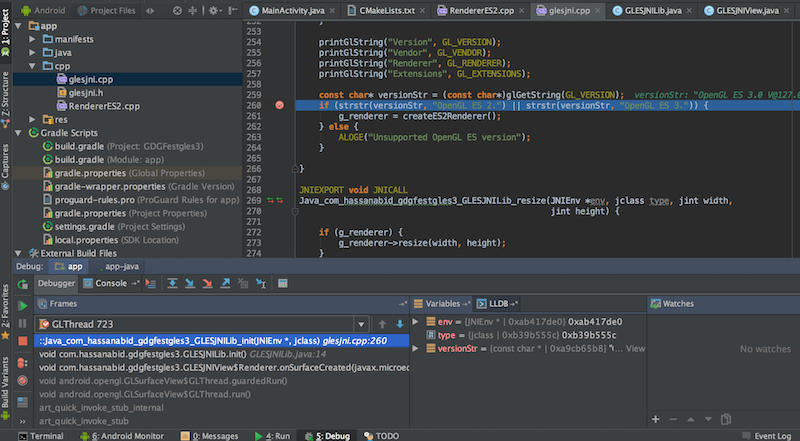
You can add break points to the native code
- Open
glesjni.cppfile - Click the left edge of the native code to set a breakpoint:

- Click the Debug button
 , your android device should prompt "Waiting For Debugger" message:
 - See an example below.
- Click the "F8" key to step over, and menu "Run" > "Resume Program" to continue the execution.
We are done with first main part of the tutorial. Take 5 minutes break and then move on to ExoPlayer part.