Add Java code
We already created a GLESJNILib on the java side. Let's create another class GLESJNIView which extends GLSurfaceView
The skeleton code for class is as below.
public class GLESJNIView extends GLSurfaceView {


    public  GLESJNIView(Context context) {

        super(context);

        // Pick an EGLConfig with RGB8 color, 16-bit depth, no stencil,
        // supporting OpenGL ES 2.0 or later backwards-compatible versions.
        setEGLConfigChooser(8, 8, 8, 0, 16, 0);
        setEGLContextClientVersion(2);
        setRenderer(new Renderer());
    }

    public static class Renderer implements GLSurfaceView.Renderer {

        @Override
        public void onSurfaceCreated(GL10 gl10, EGLConfig eglConfig) {

        }

        @Override
        public void onSurfaceChanged(GL10 gl10, int i, int i1) {

        }

        @Override
        public void onDrawFrame(GL10 gl10) {

        }
    }

}
Your task is to add corresponding native methods in onSurfaceCreated, onSurfaceChanged and onDrawFrame
Let's add this view to our MainActivity.java
    GLESJNIView mGLView;

    .....

     mGLView = new GLESJNIView(this);

     setContentView(mGLView);
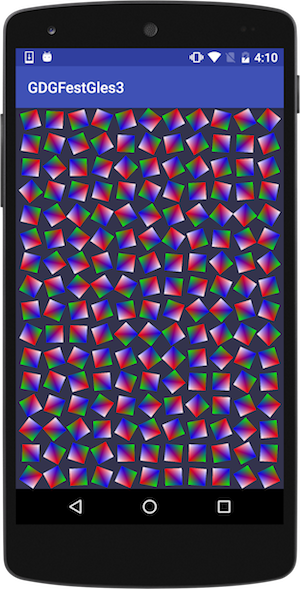
Click the Run  button, you should see following in your target device.
If you got into some trouble, you can see the finished code here
In the next chapter learn about how to debug native code!